⋅
⋅

Storyous Integration with VEXiON cards: Automated Loyalty Program at Your POS
VEXiON cards integration with Storyous POS enables a fully automated loyalty program. Customer scans their card from mobile, system adds stamps or points, applies discounts, and updates the card instantly. Staff doesn't need to enter anything manually, processing takes 1-3 seconds.
• Processing in 1-3 seconds
100% automated with no manual work
Works across all your locations
Four card types (stamps, points, discounts, gift cards)
Setup in 15-20 minutes
Updated: January 2026
New: Full integration with Storyous POS system
Support: Stamp, points, discount, and gift cards
Availability: One loyalty program for all your locations
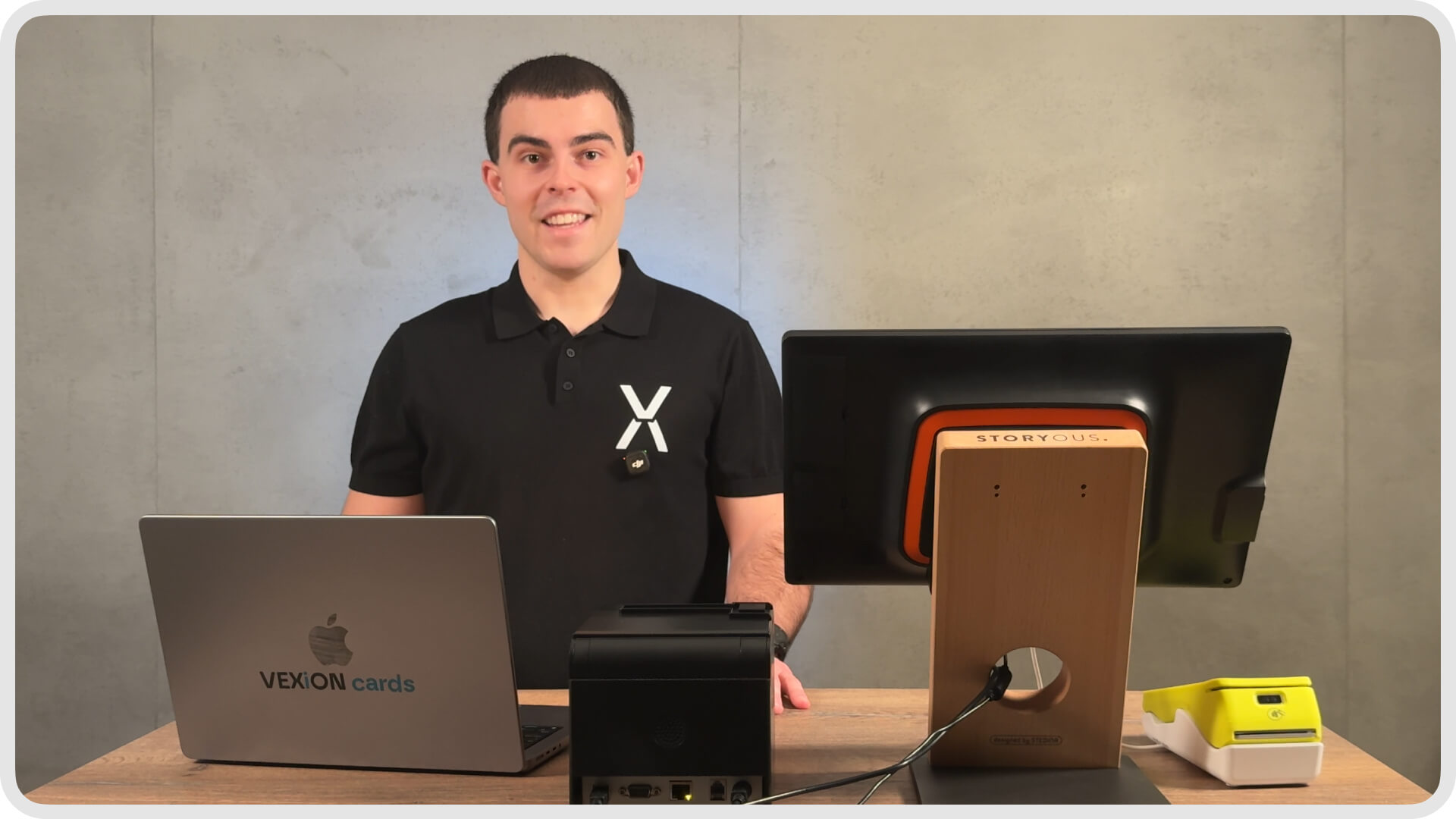
VEXiON cards integration with Storyous: MacBook with admin dashboard, Storyous POS terminal, receipt printer, and mobile waiter device for staff
What Is Storyous Integration and Why Do You Need It?
Storyous is one of the most popular POS systems for the gastro segment in Slovakia and Czech Republic. Hundreds of cafés, restaurants, bars, and fast food establishments use it daily. If you're one of them, you now have the opportunity to connect your POS with a modern digital loyalty program.
Do you recognize this situation? A customer is standing at the counter and you ask if they have a loyalty card. They start searching through their wallet, digging in their bag, and finally say: "I forgot it at home." Or they pull out a card so worn out you can barely see how many stamps they have. Then you manually count whether they're entitled to a free coffee while a line of impatient customers forms behind them.
With the connection between VEXiON cards and Storyous, all of this disappears. The customer simply opens Apple Wallet or Google Pay on their phone and shows the QR code. You scan it directly on the Storyous POS. And the system does everything else automatically.
It automatically adds stamps based on what the customer ordered. If they're entitled to a reward, it offers it. If they have a discount, it applies it. And it instantly updates the card on the customer's phone. The whole process takes 1-3 seconds and you have absolutely no extra work.
Key takeaway
Storyous is a popular POS system for gastro in Slovakia and Czech Republic
Integration eliminates manual stamp counting
Customer always has the card in their phone, can't forget it
How Does Processing at the POS Actually Work?
The entire process is designed to be as simple as possible for both staff and customers. You don't need any special equipment or lengthy training. If you know how to use the Storyous POS, you can handle VEXiON integration.
Step by Step: What Happens During Payment
Step 1: Create an order on the Storyous POS just like you always do. Add coffee, croissant, whatever the customer orders.
Step 2: When the customer is ready to pay, ask about their loyalty card. If they have one, they open Apple Wallet or Google Pay and show the QR code from their phone screen.
Step 3: Scan the QR code using the scanner connected to your Storyous POS or using the camera on the mobile waiter device. This literally takes one second.
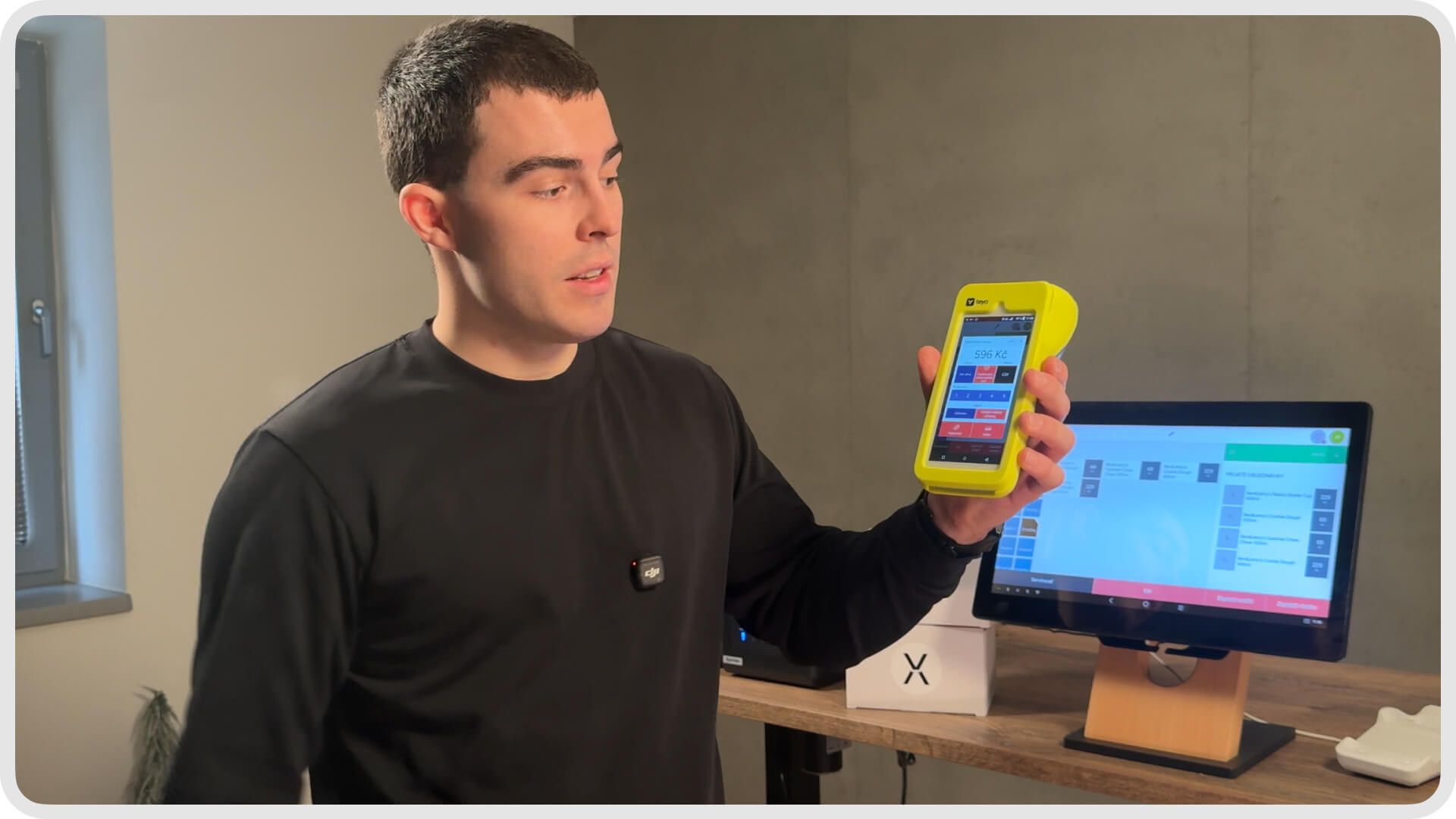
Storyous mobile waiter with built-in camera – just hold the customer's phone close and the system automatically reads their loyalty card
Step 4: The Storyous screen immediately displays everything you need to know:
Customer name (e.g., "Peter Smith")
Current stamp or points count (e.g., "8 out of 10 stamps")
What they'll earn from this purchase (e.g., "+2 stamps")
Whether they're entitled to a reward (e.g., "Can get a free coffee")
Step 5: If the customer is entitled to a reward, you can apply it with one click. If they don't want to use it now, simply continue.
Step 6: Customer pays as usual – card, cash, however they prefer.
Step 7: After payment, their digital card in the phone automatically updates. They see the new stamp count, new points balance, everything in real time.
The Dotykačka integration works similarly and is also very popular in Slovakia. The principle is the same – automation and simplicity.
Key takeaway
The entire process takes 1-3 seconds
Staff just scans the code and confirms payment
Card in mobile updates immediately after payment
Four Card Types For Different Business Models
With Storyous integration, you can use four different types of loyalty cards. Each type is suitable for a different business model and strategy. You can choose the one that best fits your business.
1. Stamp Card – The Classic That Works
The stamp card is the simplest and most understandable type of loyalty program. Customers know it and understand it. The principle is simple: for every purchase, the customer gets a stamp, and after collecting a set number, they receive a reward.
Real-world example: You have a café and set up a "10 coffees = 1 free coffee" program. Customer comes in, orders a cappuccino, gets one stamp. Comes back, orders a latte, has two stamps. And so on. When they reach ten, they get the eleventh coffee for free.
The system tracks everything automatically. You don't have to count, the customer doesn't have to carry a paper card. Everything is in their phone and everything works by itself.
You can also set different rules for different products. For example:
Espresso = 1 stamp
Specialty coffee = 2 stamps
Croissant = 1 stamp, but 5 stamps for reward
Ideal for: Cafés, bakeries, fast food, ice cream shops
2. Points Card – Flexibility For More Demanding Needs
The points card is more flexible than stamp cards. Customers collect points for purchases and can use them in two ways.
Cashback system: Points convert to euros. For example, you set 1 point = €0.01. Customer collects 500 points and has €5 credit they can use on anything in your establishment. They choose when and how many points to use.
Product rewards: Points are exchanged for specific products. For example, 50 points = free dessert, 100 points = free main course. Customer chooses what to spend points on.
Real-world example: A restaurant sets that for every €1 spent, the customer earns 10 points. With a value of 1 point = €0.01, this means 10% cashback. Customer spends €50, earns 500 points = €5 credit for their next visit.
Ideal for: Restaurants, retail, wellness, services
3. Discount Card – Reward Your Loyal Customers
The discount card automatically applies a percentage discount based on the customer's total spending. The more they spend with you, the higher discount they get. It's a way to reward truly loyal customers.
Example setup:
Spending €0-500 → Bronze level → 5% discount
Spending €501-1500 → Silver level → 10% discount
Spending over €1500 → Gold level → 15% discount
The customer doesn't have to calculate or ask anything. They simply scan their card and the system automatically applies the discount based on their level. On screen, you see what discount they have and how much they need for the next level.
Ideal for: Restaurants with regular guests, shops, services with long-term clients
4. Gift Card – A New Revenue Stream
A gift card is prepaid credit that someone buys as a gift for someone else. It's a great way to acquire new customers and increase revenue, especially during holidays.
How it works:
Customer fills out an online form – enters their name, recipient's name, amount, and personal message
Comes to your establishment and pays
Recipient gets SMS with link to the card
Adds the card to Apple Wallet or Google Pay
Simply pays from the card balance when visiting
You can also set up a bonus on purchase. For example: customer pays €50, but the card has €55. This motivates people to buy higher values.
More about gift cards including seasonal strategies in our article Digital Gift Cards for Gastro and Services.
Ideal for: All business types, holidays, birthdays, corporate gifts
Key takeaway
Stamp card: Simple and understandable collection system
Points card: Flexible cashback or product rewards
Discount card: Automatic discount for loyal customers
Gift card: New revenue stream and customer acquisition
One Loyalty Program For All Your Locations
If you have multiple locations with Storyous, you can connect them all to one VEXiON loyalty program. This is a huge advantage over paper cards, which only work at one location.
Example: You have three cafés in Bratislava. A customer gets coffee at the first one, earns a stamp. A week later visits the second, earns another stamp. When they have ten, they can claim their reward at any of your cafés.
Points, stamps, and discounts accumulate across all locations. Customer collects anywhere and spends anywhere. You have a centralized overview of all customers and all locations in one dashboard.
This is especially important for chains and franchises. The customer doesn't feel like they have to go to one specific location. They can visit any and still collect points.
Key takeaway
One loyalty program for all branches
Customer collects and spends points at any location
Centralized management and overview in one dashboard
VEXiON + Storyous vs Paper Cards: Comparison
If you're still using paper cards, check out this comparison. The difference is dramatic.
Parameter | VEXiON + Storyous | Paper Cards |
|---|---|---|
Processing speed | 1-3 seconds, automatic | 10-30 seconds, manual |
Error rate | None, system counts precisely | Frequent errors, forgotten stamps |
Lost cards | Impossible (card is in mobile) | Common problem, customer frustration |
Forgotten cards | Impossible (always have phone) | "I forgot it at home" |
Multiple locations | One program for all | Separate cards for each |
Customer data | Complete overview, names, visits | None, just stamps on paper |
Card costs | €0 | Printing, supplies, storage |
Ecology | Zero waste | Paper waste |
Forgery | Impossible | Possible, hard to control |
Switching to digital cards saves not only time and money but also the environment. One café can save thousands of paper cards per year. More about the ecological approach in our article Digital Cards for a Greener Planet.
Key takeaway
Digital solution eliminates all disadvantages of paper
Time savings for staff and customers
Accurate customer data for better marketing
Benefits For Your Business: Why It's Worth It
For Owners and Managers
No extra manual work: Your staff doesn't have to count stamps, check cards, or enter data. The system works completely on its own. This means faster service and shorter wait times for customers.
Accurate and valuable data: You know exactly who shops with you. You know that Mr. Smith comes every Monday and Wednesday for a cappuccino. That Mrs. Johnson spends an average of €12 per visit. That the Horvath family comes Saturday afternoons. This information is a goldmine for your marketing.
More strategies on how to use this data in our article How to Retain Customers and Increase Revenue.
Modern and professional image: A digital loyalty program in the phone looks professional and modern. Customers appreciate that you don't have to deal with paper and stamps. You look like a progressive business that's keeping up with the times.
No printing costs: Paper cards cost money. Printing, supplies, storage. With digital cards, these costs are zero.
For Your Customers
Card always at hand: They always have their phone with them. They'll never say "I forgot my card at home" because the card is in the same phone they pay with.
Can't be lost: A paper card can be lost, destroyed, forgotten. A digital card in the phone is safe.
Instant updates: After every payment, the customer immediately sees the new status on their card. How many stamps they have, how many points, what their balance is. No more "how many stamps do I actually have?"
Easy access: They open Apple Wallet or Google Wallet, show the QR code. No searching in the wallet, no digging through bags.
Key takeaway
Automation saves time for staff and customers
Accurate data for targeted marketing and better decisions
Modern approach that customers appreciate and expect
Who Is Storyous Integration Suitable For?
Cafés
A stamp card like "10th coffee free" is a classic that works. With automatic stamp adding, staff has no extra work. Customers collect stamps and come back more often.
Restaurants
Points system or percentage discount for regular guests. You can combine with prepaid cards for regular customers – for example, "10 lunches prepaid with discount."
Bars and Pubs
Gift cards for parties, farewells, corporate events. Bonus on purchase (e.g., "pay €50, get €60") motivates higher amounts. Great for holidays and special occasions.
Fast Food and Bistros
Speed is key here. Scan the card in a second, add points, done. No slowing down the queue, no manual counting.
Pastry Shops and Bakeries
Stamp card for pastries or baked goods. "Every tenth cake 20% off" or "10 croissants = 1 free."
Key takeaway
Integration is suitable for any gastro business with Storyous
Fast processing without slowing down customers
Different card types for different needs and strategies
How to Get Started With Storyous Integration: Practical Guide
Setting up the integration is simple and you can do it in 15-20 minutes. You don't need any technical knowledge or special hardware.
What You Need Before Starting
Active Storyous account – If you're already using Storyous POS, you're set
Merchant ID from Storyous – Unique code you get from Storyous support
VEXiON cards account – Create one at app.vexion.one in a few minutes
Setup Steps
Step 1: Get Merchant ID Email support@storyous.com with: "Please send me the Merchant ID for VEXiON cards integration." You'll typically get a response within one business day.
Step 2: Create VEXiON account If you don't have one yet, register at app.vexion.one. Fill in company name, upload logo, choose colors. Takes 5 minutes.
Step 3: Enter Merchant ID and set up integration In VEXiON settings, go to Integrations → Storyous and enter the Merchant ID you received. Then select your locations and set up card types.
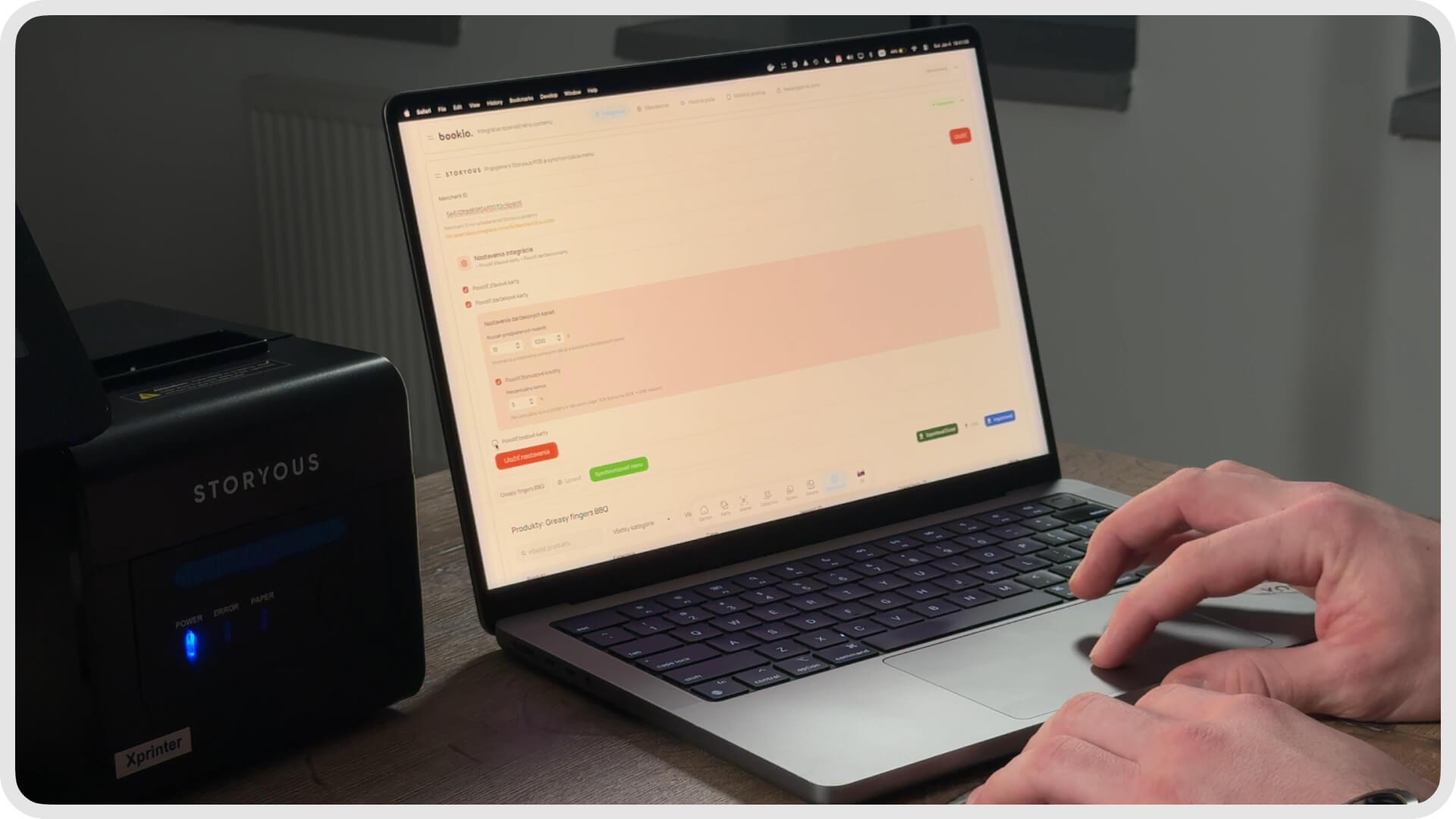
VEXiON cards admin interface – setting up Storyous integration, selecting card types, and synchronizing product menu
Step 4: Select locations A list of your Storyous locations will appear. Select the ones you want to connect to the loyalty program.
Step 5: Set up card type Choose what type of loyalty program you want – stamp, points, discount, or gift cards. Set the rules (e.g., how many stamps for a reward).
Step 6: Synchronize menu The system automatically loads your products from Storyous. You set which products generate stamps/points and which are rewards.
Step 7: Print QR code The system generates a QR code for customer registration. Print it and place it in a visible location – at the counter, on tables, on the door.
Step 8: Train staff Training takes about 5 minutes. Show staff how to scan the QR code from the customer's phone and what appears on screen.
Key takeaway
Complete setup takes 15-20 minutes
No technical knowledge required
Get Merchant ID from Storyous support via email
Frequently Asked Questions
How much does Storyous integration cost?
Integration is included in the standard VEXiON cards subscription, starting from €41 per month. There are no additional fees for connecting to Storyous.
Do I need any special hardware?
No. The Storyous POS has a built-in scanner, or you can use the camera on the mobile waiter device. Just scan the QR code from the customer's phone – no special equipment needed.
How long does integration setup take?
The actual setup takes 15-20 minutes. The only thing you'll wait for is the Merchant ID from Storyous, which you typically receive within one business day.
Can I have stamps and points at the same time?
Within one integration, you choose one type – either stamps or points. We recommend one simple program that customers easily understand. Complex systems with multiple collection types confuse customers.
Does it work at all my locations?
Yes. You can connect one loyalty program to all your Storyous locations. Customers collect points/stamps at any location and can use rewards at any location as well.
What if a customer forgets their phone?
Without the phone, they can't use the digital card – the card is stored in the phone. The customer makes their purchase normally without the loyalty program and uses the card next time. In practice, this rarely happens because people almost always have their phones with them.
Do I need to train staff?
Yes, but training takes about 5 minutes. The system is intuitive – just show staff how to scan the QR code and what appears on screen. The rest is automatic.
What's the difference compared to Dotykačka integration?
Functionally, they're very similar – both enable automatic loyalty programs at the POS. The only difference is which POS system you use. If you have Dotykačka, check out Dotykačka integration. If you have OBERON, see OBERON integration.
Can customers use the card without Apple/Google Wallet?
The card primarily saves to Apple Wallet (iPhone) or Google Wallet (Android). If a customer for some reason can't use these wallets, they can save the QR code as an image or screenshot. But 95%+ of smartphones support these wallets.
How long does it take for the card to update?
Instantly. Right after payment, the card on the customer's phone updates in real time. The customer sees the new stamp or points count within seconds.
Summary: Modernize Your Loyalty Program
Paper cards are the past. Customers lose them, staff forgets to give stamps, records are inaccurate, and nobody has an overview of what actually works.
With VEXiON cards and Storyous, you have an automated loyalty program that works on its own. Customer shows their phone, system adds stamps, applies discounts, updates the card. You have accurate customer data and can make better marketing decisions.
Setup takes 15-20 minutes. Staff training takes 5 minutes. And then everything works automatically, day after day, without any extra work.
Have questions? Contact us:
📧 jakub@vexioncards.one
📱 +421 948 777 490
We'll happily show you a demo, answer questions, and help with setup. First consultation is free.